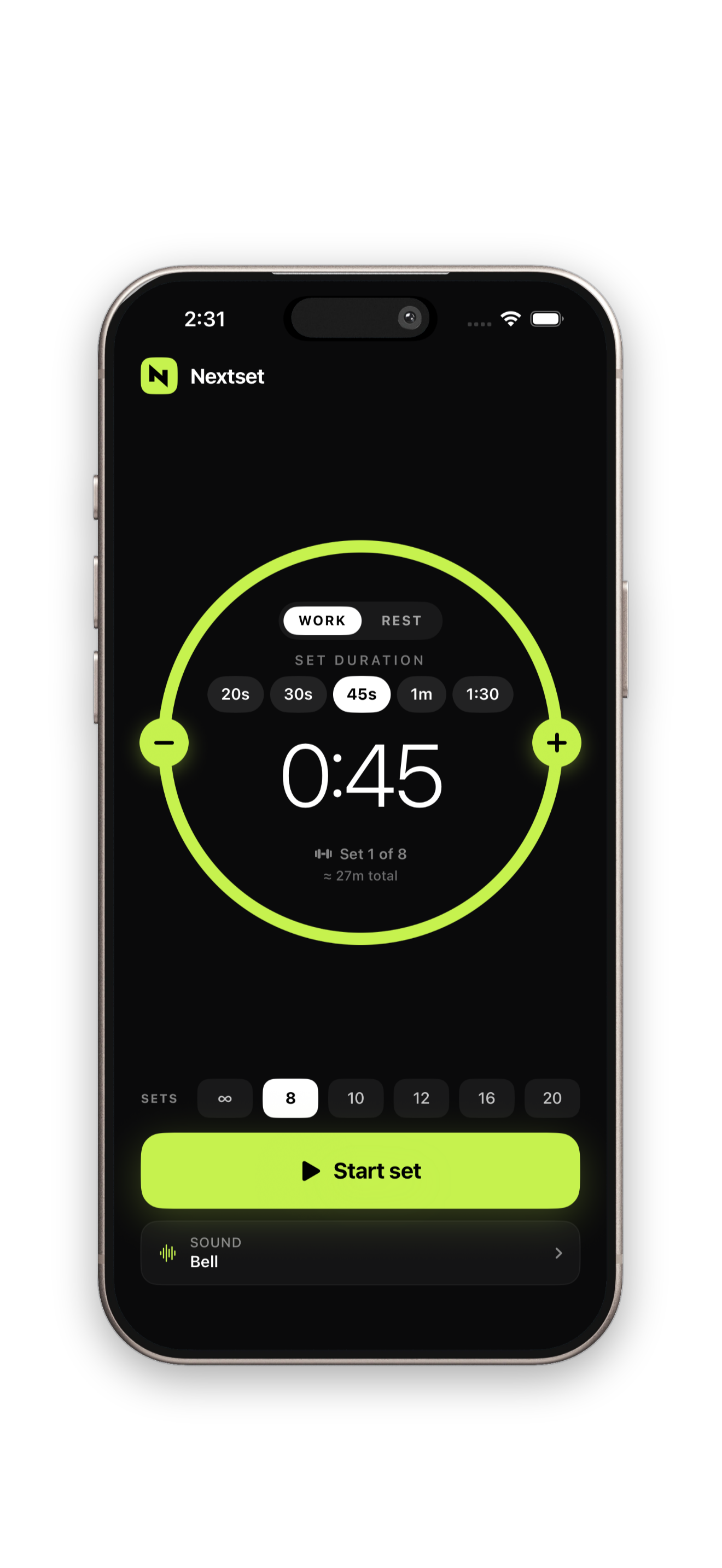

Pick your set and rest time
Quick chips for 20s, 30s, 45s sets and 1m, 2m, 3m rest — or punch exact seconds.
 Grove
Grove



One Tap. Stay on track.
The hands-free gym timer. Tap start once, pocket your phone, and a clean chime plays every time it's your turn to lift. Drive the whole session from your lock screen.
Built for the rack. Made by a lifter.
Nextset — on-device, private, and built for iOSExplore features
A clean, three-step flow designed to get value in under a minute.
Quick chips for 20s, 30s, 45s sets and 1m, 2m, 3m rest — or punch exact seconds.
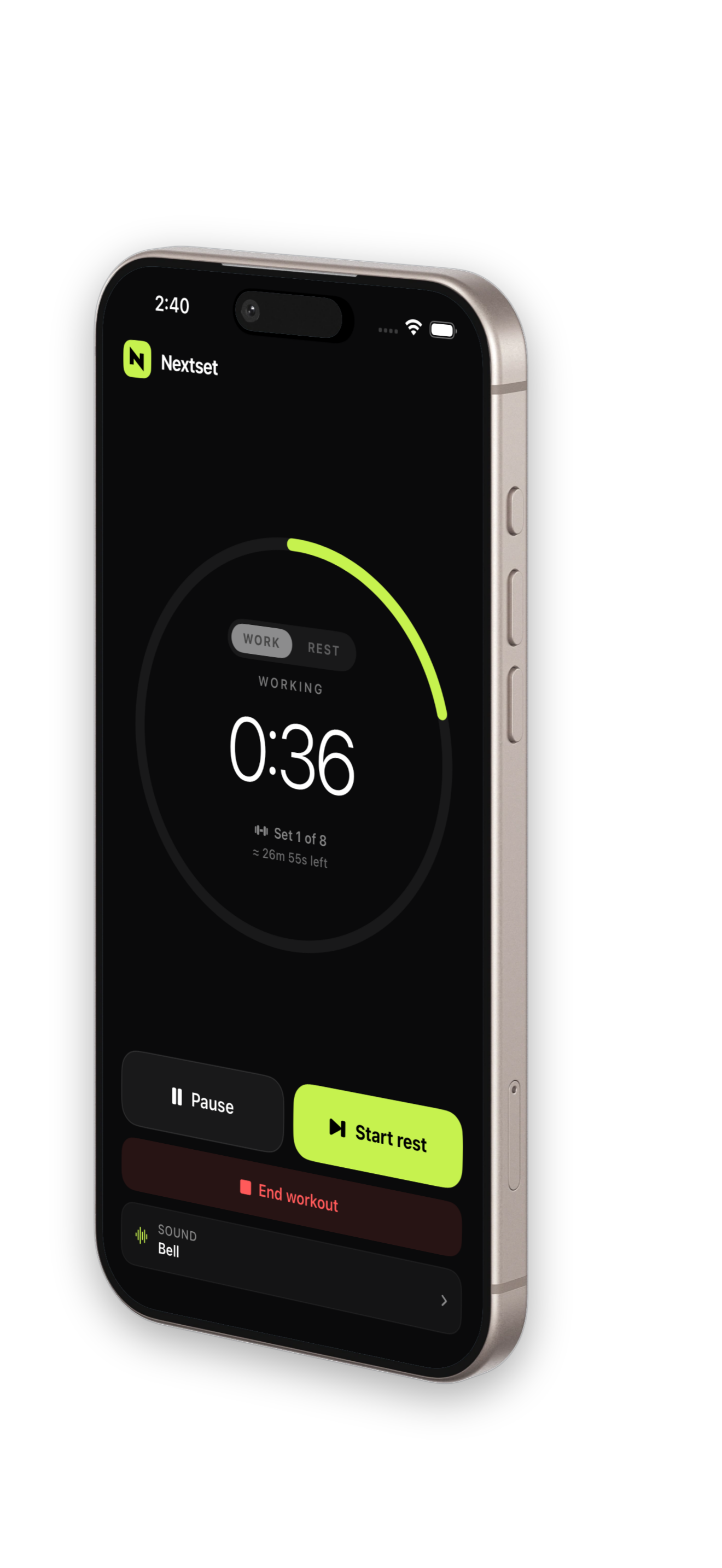
Nextset auto-cycles lift → rest → chime → repeat. A Live Activity follows you to the lock screen.
A chime signals the start of every set. End the session when you're done — one tap on the lock screen.
Core functionality focused on speed, privacy, and output quality.
A clean chime plays every time it's your turn to lift. No fumbling, no forgotten timers, no tapping between sets.
Pause, skip, or end your workout from the Live Activity on your lock screen — Dynamic Island shows the countdown at a glance.
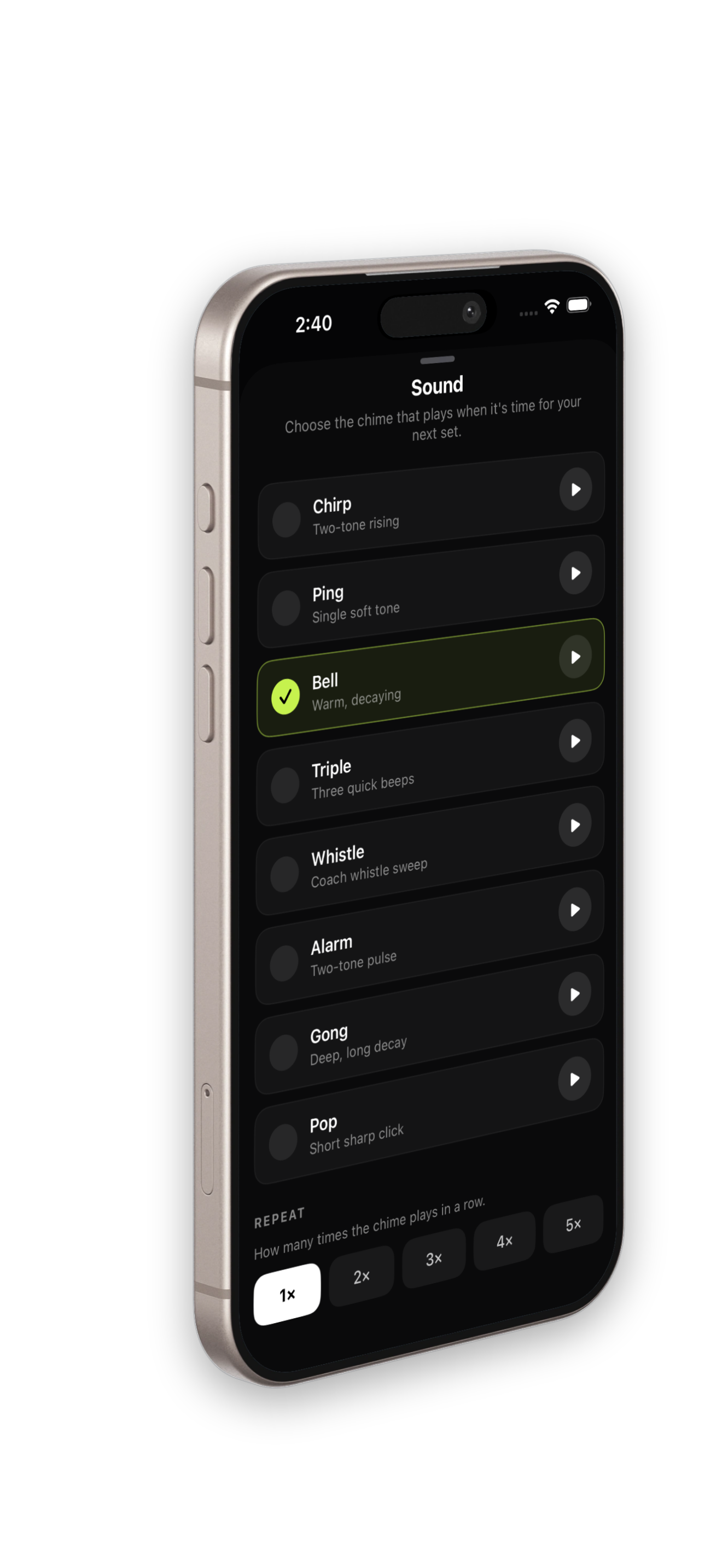
Eight chime sounds to choose from. Ducks Spotify or Apple Music for a split second, then resumes.
Tell Nextset how many sets you want and it tells you exactly how long your session will take. See the time tick down as you lift.
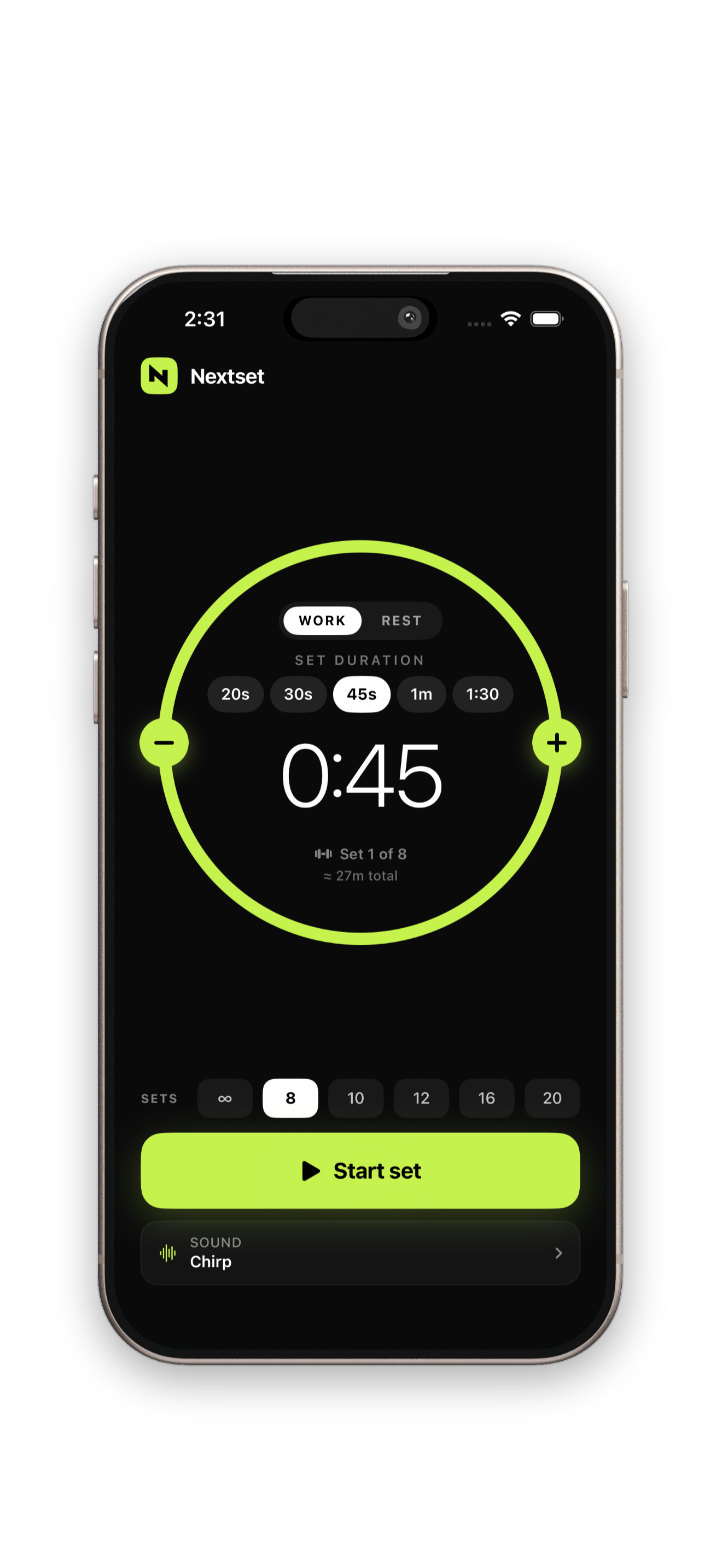
Nextset plan screen with set target and total workout time
Chirp, Ping, Bell, Triple, Whistle, Alarm, Gong, or Pop — pick the tone that cuts through your gym. Replay 1–5× in a row so you never miss it.
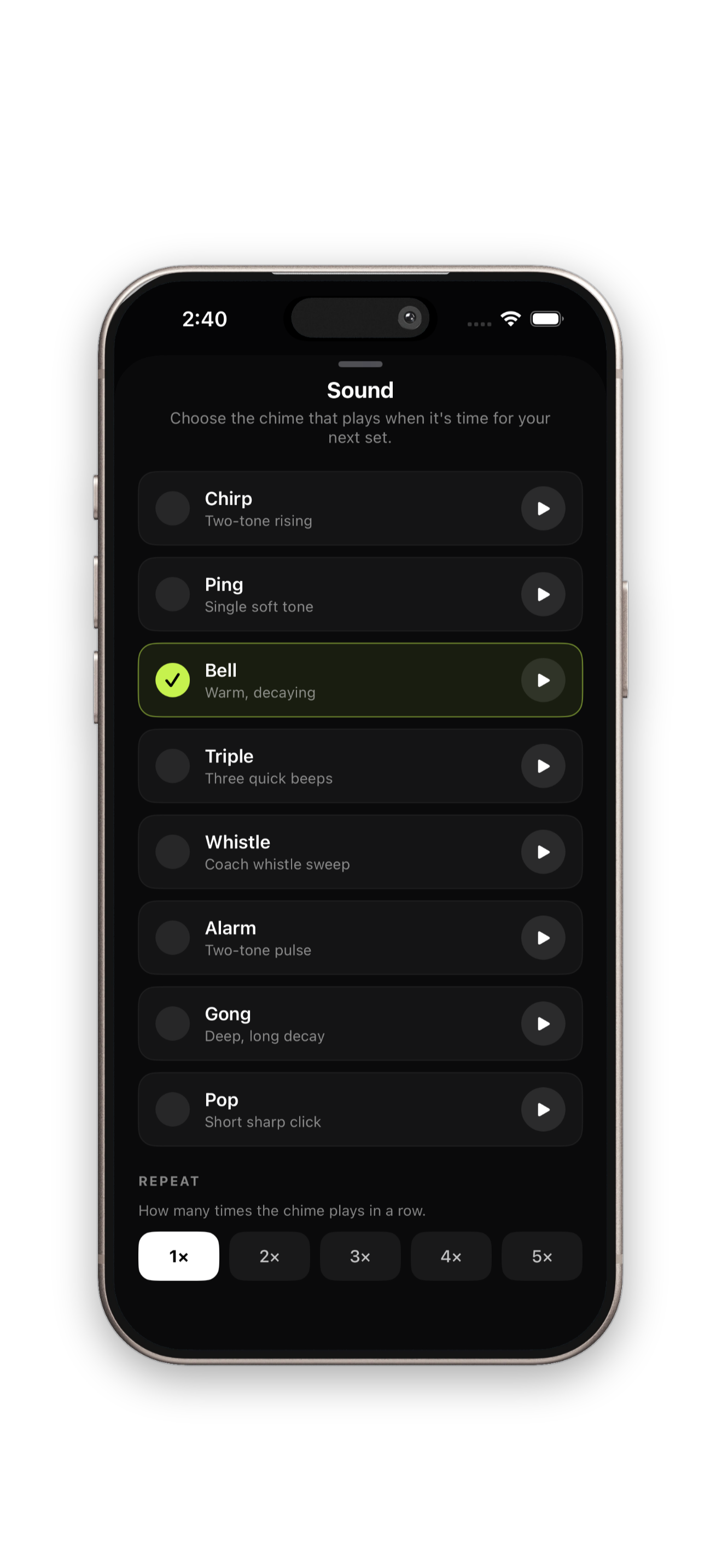
Nextset sound picker with 8 chime options
Requires iPhone 15 Pro or newer running iOS 18.1+ with Apple Intelligence enabled.
No. Processing stays on your device. We do not collect usage data or store your content.
Yes. It plays the chime over your music and briefly ducks the volume so you always hear the cue.
Yes — leave the target at ∞ to go unlimited, or pick 8, 10, 12, 16, or 20 sets and Nextset will tell you exactly how long your session will take.
Yes. A Live Activity pins to your lock screen and Dynamic Island so you can pause, skip, or end without unlocking.
Email support@trygrove.dev and include your iOS version, device model, and what happened.
No accounts. No subscriptions. No ads. Runs locally on your device.
Check docs first, then contact us with details so we can help quickly.
Step-by-step guides and troubleshooting for Nextset.
Reach us directly for bug reports, account issues, or product questions.
See exactly how on-device processing works and what we do not collect.
Fast, private, on-device results with no account required.
Download on the App Store