
01Describe
Task
I need to clean my apartment
Name What Feels Hard
Write the task exactly as it sits in your head. No structure needed — just describe what feels overwhelming.
 Grove
Grove





Stop Staring. Start Doing.
Break overwhelming tasks into tiny, practical actions you can start immediately. Energy-matched steps, time estimates, and a rescue step when you stall.
3 free decompositions to start. One-time unlock for $4.99.
TaskSteps — on-device, private, and built for iOSExplore features
How It Works
Write what feels overwhelming. Pick your energy level. Get a plan with an immediate first action, time estimates, and a rescue step.
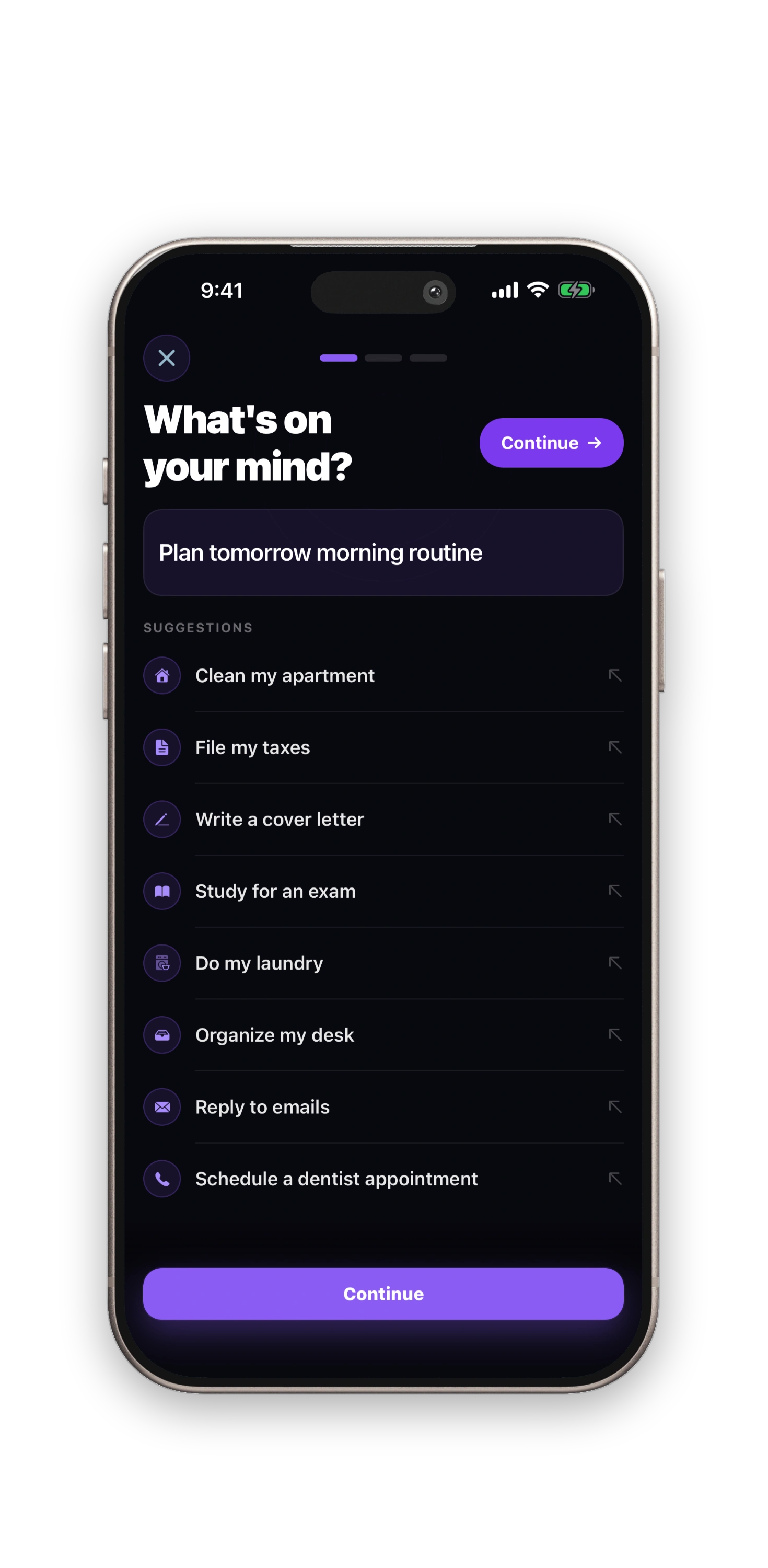
Task
I need to clean my apartment
Write the task exactly as it sits in your head. No structure needed — just describe what feels overwhelming.
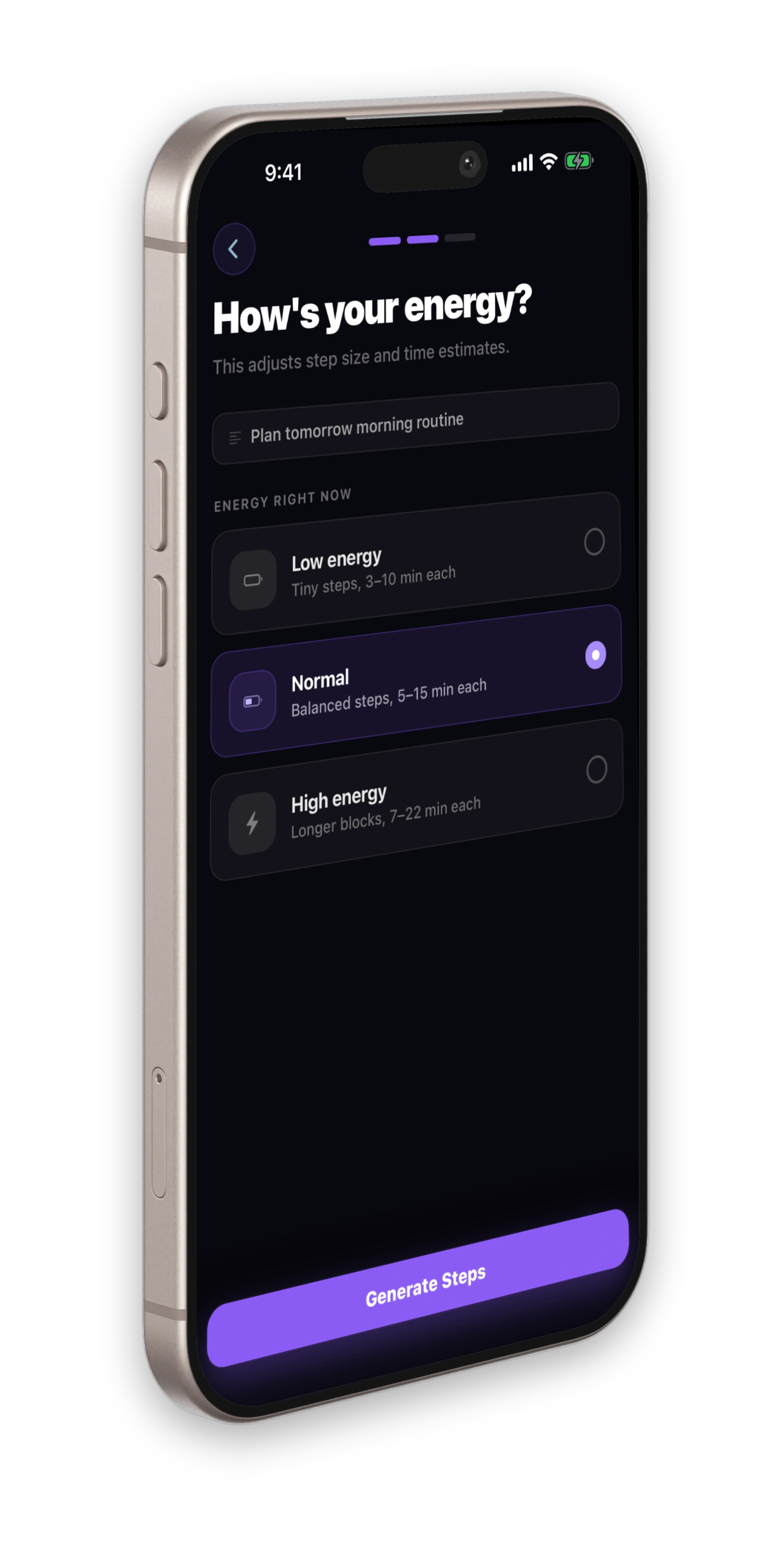
Energy right now
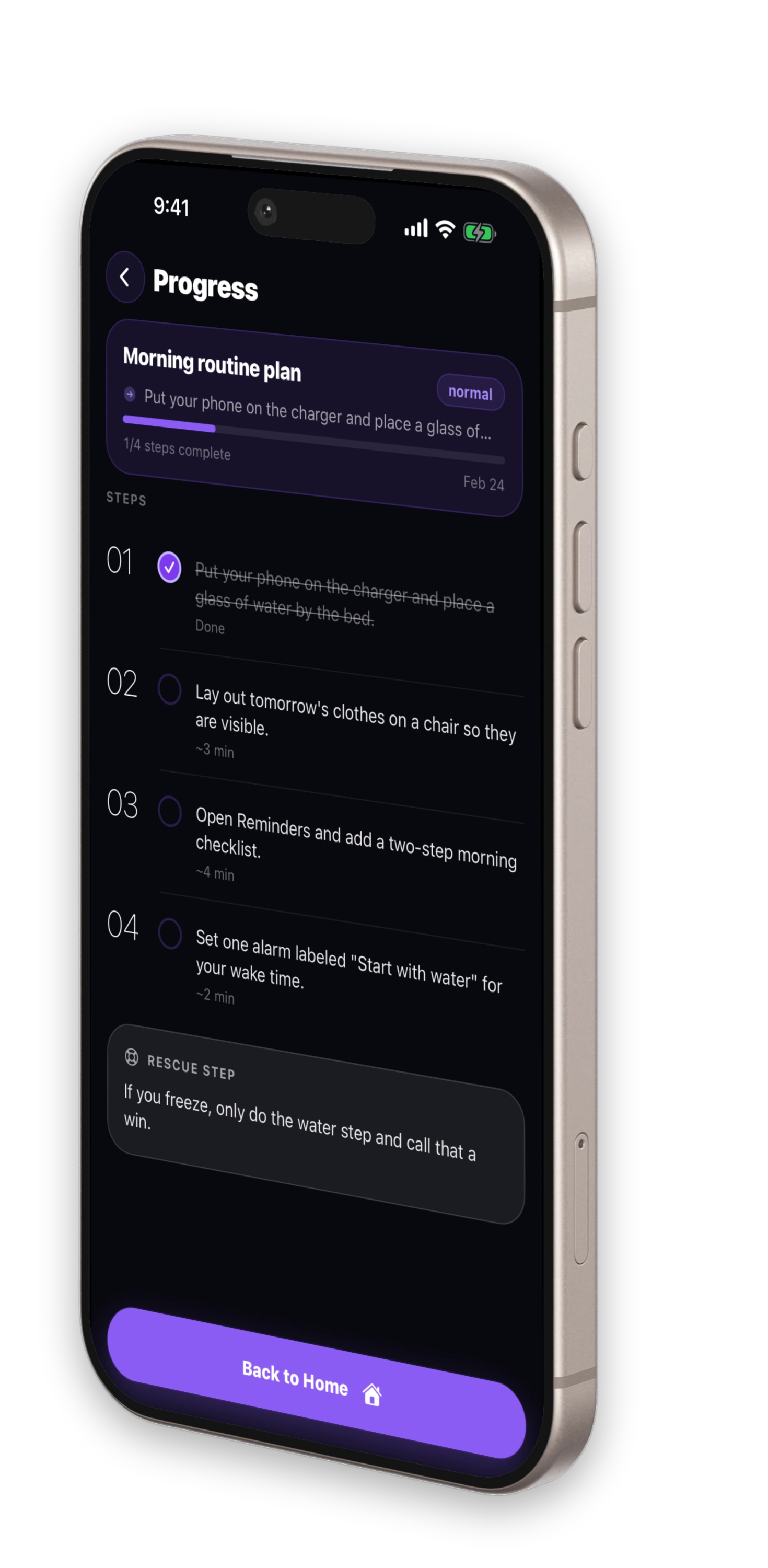
Low, Normal, or High — the plan adapts step count and difficulty to match how you actually feel right now.
Do this first
Pick one surface — just the couch.
~5 min
Then this
Sort the pile: trash bag, counter, basket.
~5 min
If you stall
Set a timer for 5 minutes. When it rings, stop.
An immediate first action, numbered steps with time estimates, and a rescue step for when momentum stalls.
3 free decompositions · One-time unlock $4.99
Core functionality focused on speed, privacy, and output quality.
Turns giant projects into 2 to 5 minute next actions with a clear first move.
Low, Normal, or High — the plan adapts step difficulty to how you feel right now.
When momentum stalls mid-task, a built-in recovery action gets you moving again.
“First time I started the task the same day I planned it.”
— ADHD community member
“The 5-minute first step is a game changer.”
— Student
The app reduces ambiguity and decision load so starting becomes the easy part. Describe what feels overwhelming and get a plan that meets you where you are.
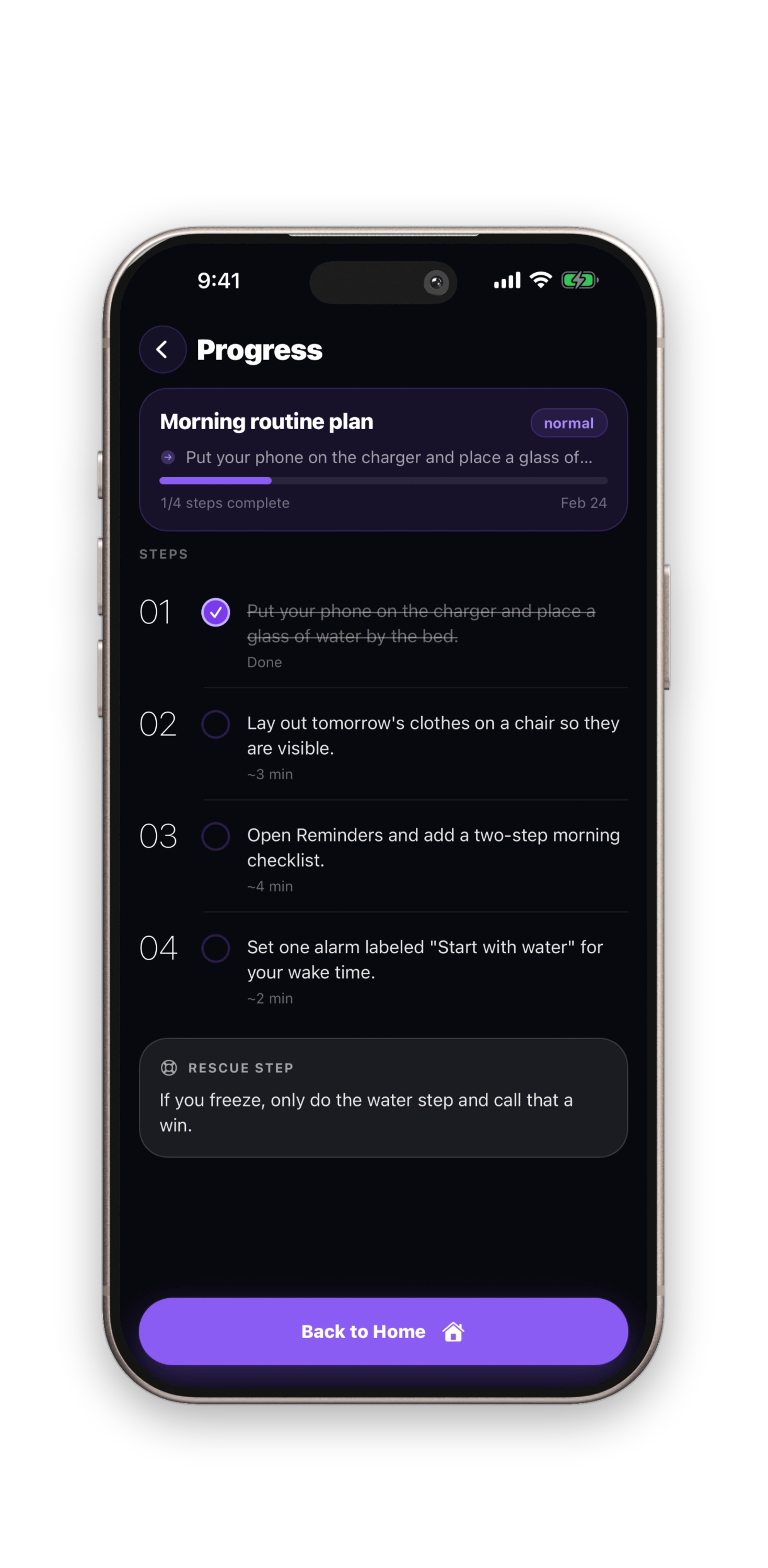
TaskSteps task input screen with suggestions
Powered by Apple Intelligence. No accounts, no analytics, no cloud. Everything stays on your device.
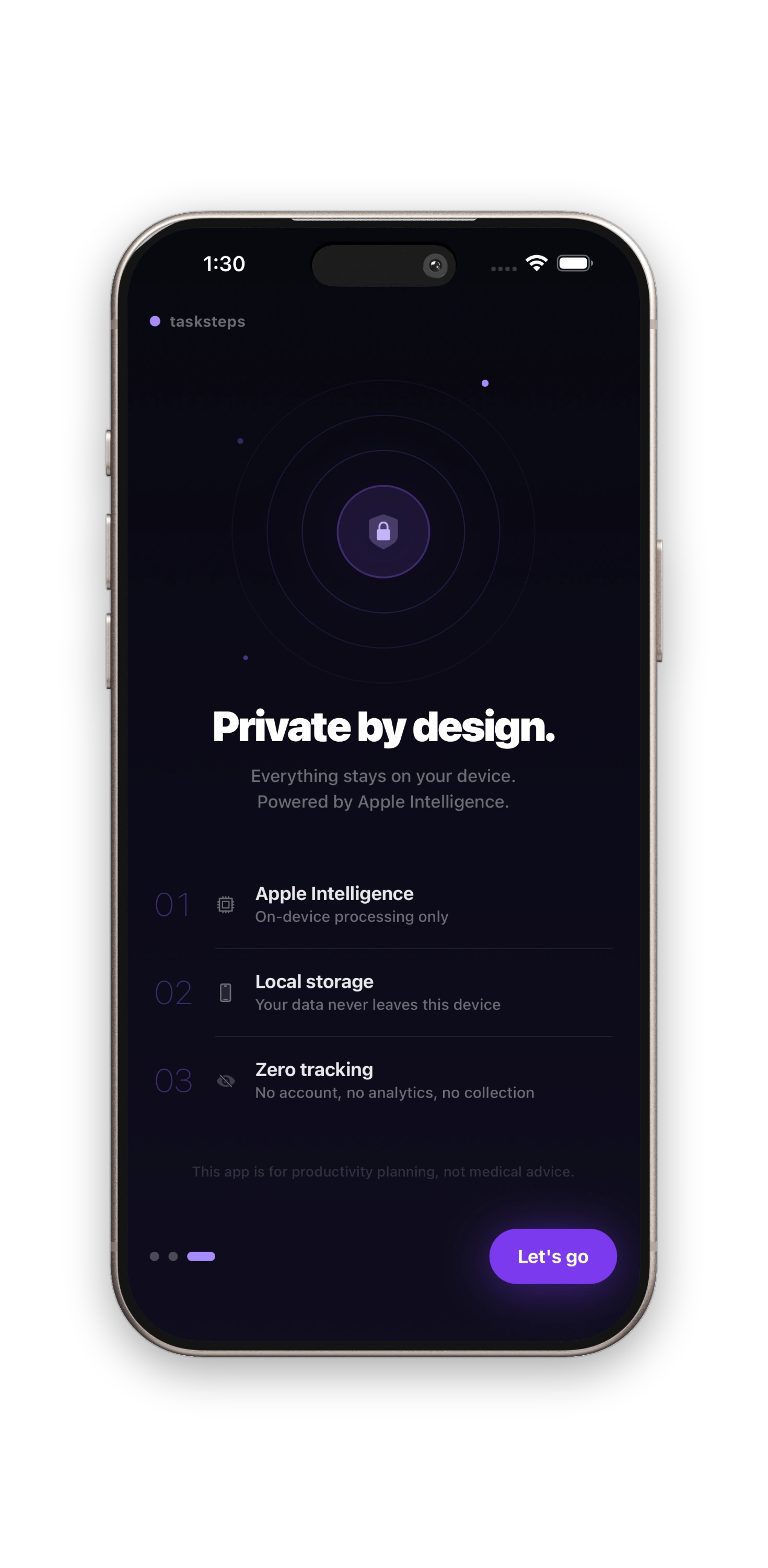
TaskSteps privacy screen with on-device processing details
Requires iPhone 15 Pro or newer running iOS 18.1+ with Apple Intelligence enabled.
No. Processing stays on your device. We do not collect usage data or store your content.
Yes. Every decomposition is saved locally in your task history.
You get 3 free decompositions. After that, a one-time purchase of $4.99 unlocks unlimited use. No subscriptions.
Low, Normal, and High energy modes adjust step difficulty and count to match your current capacity.
Email support@trygrove.dev and include your iOS version, device model, and what happened.
Your data stays on your device. No cloud upload, no analytics tracking, and no account required.
Check docs first, then contact us with details so we can help quickly.
Step-by-step guides and troubleshooting for TaskSteps.
Reach us directly for bug reports, account issues, or product questions.
See exactly how on-device processing works and what we do not collect.
Fast, private, on-device results with no account required.
Download on the App Store